- Open Hours: 9AM to 6PM: (Mon-Sat)
- care@mobisafar.com
- 0161-5015050 Join Us


Biometric authentication plays an important role in Aadhaar-enabled banking services. For retailers, CSP operators and digital service businesses, a reliable AEPS biometric fingerprint scanner portal can make Aadhaar-based transactions easier to manage while providing customers with convenient access to essential banking services.
AEPS transactions use Aadhaar authentication and biometric verification for supported services such as cash withdrawal, balance enquiry, mini statement and other banking facilities. Mobisafar provides AEPS services through its platform and specifically lists Best Finger Detection as one of its AEPS services.
For a shop owner, choosing the right biometric setup is important because fingerprint authentication can directly affect the customer experience. A suitable scanner, compatible software and a properly configured AEPS platform can help retailers handle transactions more efficiently.
A Best finger detection AEPS scanner is designed to assist with biometric authentication by identifying the customer's suitable fingerprint for an AEPS transaction.
Fingerprint quality can vary from person to person. Factors such as dry skin, worn fingerprints, improper finger placement, environmental conditions and scanner quality can affect authentication. Best finger detection functionality can help identify a suitable enrolled finger before the transaction is attempted.
Mobisafar includes Best Finger Detection among its listed AEPS services, alongside cash withdrawal, cash deposit, balance enquiry, mini statement and Aadhaar-to-Aadhaar fund transfer.
For retailers, this functionality can be particularly useful when customers experience difficulty authenticating with one particular finger.
Benefits of Best Finger Detection
The actual authentication result depends on the customer's biometric data, device condition, connectivity and the applicable authentication infrastructure.
Choosing the best biometric fingerprint scanner for AEPS requires considering compatibility, authentication performance, device support and retailer usability.
A fingerprint scanner used for AEPS should work with the applicable AEPS application and authentication environment. Retailers should also ensure that the device is supported by their service provider before purchasing or deploying it.
Mobisafar's AEPS training material shows support for biometric transaction workflows and lists device options such as Mantra, Morpho and Startek in an AEPS transaction interface.
A retailer should consider the following factors:
Device Compatibility
The biometric device should be compatible with the AEPS platform being used by the retailer.
Fingerprint Capture Quality
A good scanner should capture fingerprints clearly under normal operating conditions.
Ease of Use
Retailers handle multiple customers throughout the day, so the scanner should be straightforward to operate.
Authentication Support
The device should support the authentication workflow required by the applicable AEPS service.
Software Compatibility
Hardware and software need to work together correctly for a smooth transaction process.
An AEPS biometric fingerprint scanner portal combines the retailer's AEPS software with the biometric authentication workflow required for supported transactions.
The portal can provide access to services such as:
Mobisafar's banking platform lists these AEPS services and provides an agent login environment for its service partners.
For a retailer, this centralized approach can make it easier to manage banking services from a single platform instead of handling separate systems for different customer requirements.
AEPS biometric error solve is an important requirement for retailers because biometric authentication can occasionally fail.
A failed fingerprint transaction does not always mean that the scanner is defective. The issue may be related to fingerprint quality, finger placement, device connectivity, software configuration, authentication response or customer biometric information.
Retailers can follow several basic troubleshooting steps.
Clean the Scanner
Dust, moisture or marks on the scanner surface can affect fingerprint capture. Keep the scanner clean and dry.
Ask the Customer to Place the Finger Correctly
The customer should place the finger properly on the scanner without excessive movement.
Try Another Enrolled Finger
If one finger does not authenticate successfully, the retailer can follow the applicable process for trying another enrolled finger.
This is where Best Finger Detection AEPS scanner functionality can be useful.
Check Device Connectivity
A disconnected or improperly configured biometric device may prevent the transaction from progressing.
Restart the Application
If the application is temporarily unresponsive, restarting the authorized AEPS application and reconnecting the device may resolve a technical issue.
Check Device Compatibility
Retailers should confirm that their biometric device is supported by the current AEPS software and service configuration.
Contact Service Support
If the problem continues, the retailer should contact the AEPS provider's technical support team rather than repeatedly attempting the same failed transaction.
Mobisafar's AEPS platform is designed with transaction management and support infrastructure for agents and service partners. Its current AEPS information also highlights biometric authentication as part of the service.
The best Aadhaar ATM app for shop owners should provide more than basic transaction functionality. Retailers need a platform that makes everyday banking services simple to operate.
An effective AEPS application can help shop owners provide:
Mobisafar offers multiple banking and financial services through its platform, including AEPS, Micro ATM, QR ATM, money transfer and other retail services.
This multi-service approach allows shop owners to use their existing business location as a broader digital financial service point.
The basic AEPS biometric process is designed to connect the customer's Aadhaar-based identity authentication with the selected banking transaction.
A typical workflow includes:
Step 1: Customer Requests a Service
The customer tells the retailer which supported banking service is required.
Step 2: Retailer Selects AEPS
The retailer opens the authorized AEPS application and selects the appropriate transaction.
Step 3: Customer Details Are Entered
The required information is entered into the AEPS platform.
Step 4: Fingerprint Authentication
The customer places the appropriate finger on the biometric scanner.
Step 5: Authentication Processing
The captured biometric information is processed through the applicable authentication infrastructure.
Step 6: Transaction Confirmation
Once authentication and transaction processing are completed successfully, the retailer receives the applicable transaction response.
Mobisafar's AEPS training material demonstrates a workflow where the customer is instructed to place their thumb on the biometric scanner and also shows multiple supported biometric device options.
Fingerprint authentication depends heavily on the quality of the fingerprint captured by the scanner.
Customers may sometimes experience authentication difficulty because of:
Retailers can improve the experience by ensuring that the biometric device is clean, correctly connected and positioned properly.
The customer should also follow the on-screen instructions and use the appropriate enrolled finger.
A biometric scanner can become an important part of a retailer's AEPS setup.
For businesses that provide frequent financial services, a reliable scanner can help simplify the authentication stage of customer transactions.
Suitable users can include:
Mobisafar's AEPS agent ecosystem is designed to support retailers and service providers offering financial services to local customers.
A dedicated biometric AEPS portal can provide several operational advantages.
Centralized Services
Retailers can access multiple banking services through a single platform.
Customer Convenience
Customers can access supported banking services at a nearby service point.
Cardless Banking
AEPS enables supported transactions through Aadhaar authentication without relying on traditional debit-card transactions.
Transaction Management
Retailers can manage transaction information through the digital platform.
Multiple Service Options
AEPS can be combined with other services such as Micro ATM, QR ATM, money transfer and bill payments.
Mobisafar follows a multi-service model, allowing retailers to access several categories of financial and digital services through its platform.
Security is essential whenever biometric authentication is used for financial services.
Retailers should use authorized biometric equipment and follow the procedures provided by their AEPS service provider. Customer authentication should always be performed through the applicable authorized system.
Mobisafar describes its AEPS services as supporting secure transactions and biometric authentication, while its platform provides AEPS transaction services for retailers and agents.
Fingerprint authentication is one of the commonly used biometric methods for AEPS transactions. However, biometric technology can also include other authentication methods.
Mobisafar currently provides information about iris-based AEPS CSP services as another biometric option for eligible service operations.
This can be useful in situations where fingerprint authentication is difficult for a customer. The availability of a particular authentication method depends on the service, platform, device and applicable requirements.
Mobisafar provides a broad digital financial services platform for retailers and agents.
Its banking services include:
The platform also provides other digital services, allowing retailers to build multiple service categories around their existing shops.
For retailers searching for an AEPS biometric fingerprint scanner portal, best finger detection AEPS scanner, best biometric fingerprint scanner for AEPS, or the best Aadhaar ATM app for shop owners, choosing a compatible and reliable platform is essential.
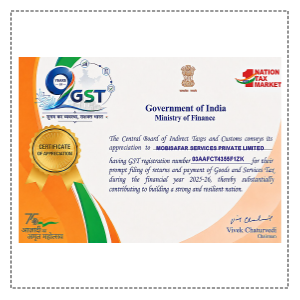
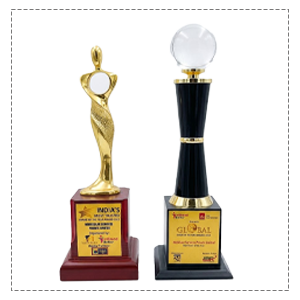
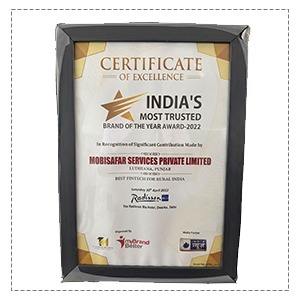
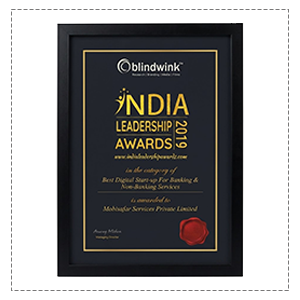
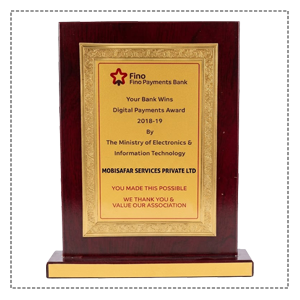
Honored to be recognized for excellence, innovation and impactful contributions.









Mobisafar has made AEPS transactions easier for my shop. The biometric process is simple to understand, and Best Finger Detection is especially helpful when customers have difficulty with one finger.
I was looking for a reliable biometric solution for AEPS services at my retail shop. Mobisafar provides a convenient platform and makes everyday transactions easier to manage.
The AEPS service is useful for our customers who need local banking facilities. The fingerprint authentication process is easy to operate once the device is properly configured.
Mobisafar gives us access to multiple financial services from one platform. The biometric AEPS facility has become a useful service for customers visiting our shop.
Customers appreciate being able to access Aadhaar-based banking services locally. The AEPS platform is convenient, and the biometric process is straightforward for our team.
Our Common Queries (FAQs) section is designed for provide quick
answers to
the most frequently asked questions.
A reliable AEPS biometric fingerprint scanner portal helps retailers manage Aadhaar-based biometric banking transactions through an organized digital platform.
The best finger detection AEPS scanner can help identify a suitable enrolled finger when authentication is difficult, while a compatible biometric fingerprint scanner for AEPS can support smoother customer transactions.
For retailers experiencing an AEPS biometric error, basic checks such as cleaning the scanner, verifying finger placement, checking connectivity and using another eligible finger can help identify common issues.
Mobisafar provides AEPS services including biometric authentication, Best Finger Detection, cash withdrawal, balance enquiry, mini statement and other banking facilities. It also offers multiple financial and digital services through its retail platform.
