- Open Hours: 9AM to 6PM: (Mon-Sat)
- care@mobisafar.com
- 0161-5015050 Join Us


The Mobisafar UPI cash point setup allows retailers to provide cash withdrawal services to customers using UPI applications. Instead of depending only on a traditional ATM, a participating Mobisafar retailer can become a local cash access point where customers scan a dynamic QR code through a supported UPI application and receive cash.
Mobisafar's official UPI Cash Point process starts from the Mobisafar App. The retailer selects QR ATM or UPI Cashout, enters the withdrawal amount and customer's mobile number, asks the customer to scan the generated dynamic QR code, and provides cash after the transaction is successfully completed.
This model can be particularly useful for kirana stores, telecom retailers, financial service shops, CSP locations and other businesses that want to add assisted digital banking services.
The Mobisafar UPI cash point setup app is based around the Mobisafar App and its QR ATM/UPI Cashout functionality.
How to Set Up a Mobisafar UPI Cash Point
Step 1: Register as a Mobisafar retailer
Complete the Mobisafar onboarding process and provide the required personal and KYC information. The current Join Us form requests details such as mobile number, name, email, address, pincode, PAN and Aadhaar.
Step 2: Access the Mobisafar App
After activation, log in to the applicable Mobisafar platform.
Step 3: Select QR ATM or UPI Cashout
Choose the appropriate UPI cash withdrawal service from the available options.
Step 4: Enter transaction information
Enter the customer's withdrawal amount and mobile number.
Step 5: Generate the dynamic QR
The system generates a dynamic QR code for the transaction.
Step 6: Customer scans the QR
The customer scans the QR using a supported UPI application and completes the required authentication.
Step 7: Give cash
Once the transaction is confirmed as successful, the retailer gives the requested cash to the customer.
UPI Cash Point Limits
Mobisafar currently publishes the following UPI Cash Point limits:
| Limit | Amount |
|---|---|
| Per transaction | ₹5,000 |
| Per day | ₹10,000 |
| Per month | ₹50,000 |
| Transactions per day | 2 |
| Cooling period | 30 minutes |
These limits are published on Mobisafar's UPI Cash Point page and should be checked again in the active platform because service rules can change.
A retailer operating a Mobisafar UPI cash point should follow the transaction process carefully.
Mobisafar specifically instructs retailers not to accept a screenshot or photograph of the dynamic QR code. The dynamic QR is intended for one-time use.
Retailers are also instructed to maintain a transaction register containing information such as:
This provides a useful record of cash withdrawals and can help with transaction reconciliation.
The Mobisafar Micro ATM price depends on the device, current commercial offer, supplier arrangement and applicable configuration.
Mobisafar's current banking-services page promotes Micro ATM services and states that its Micro ATM network is spread across 24 states. It describes Micro ATM functionality including ATM-style transactions, balance enquiry and access to certain banking services.
Mobisafar also currently promotes Micro ATM with features such as:
The exact Mobisafar Micro ATM price should therefore be confirmed before purchasing or ordering a device. Device price can change based on the model and current commercial arrangement.
Retailers should also confirm whether the quoted price includes:
This is more reliable than using an old online price as the current 2026 price.
A Micro ATM can be useful for a retailer that wants to provide cash access to customers through an assisted banking setup.
Mobisafar states that its Micro ATM centres support transactions normally conducted through a regular ATM and can provide services such as balance enquiry.
Mobisafar's wider banking platform also includes AEPS, money transfer, QR ATM, CSP services, POS and other financial services.
For a shop owner, this means a Micro ATM can potentially become part of a broader financial-service counter rather than operating as a standalone product.
The Mobisafar wallet to bank settlement time can depend on the service and transaction type.
Mobisafar's official banking-services information describes QR ATM as offering easy bank settlement, but it does not publish one universal wallet-to-bank settlement time that applies to every retailer and every service.
Therefore, retailers should check their current Mobisafar dashboard, wallet status and applicable settlement instructions for the specific service being used.
The settlement process can also be different from the customer transaction process. A customer receiving cash from a UPI Cash Point does not necessarily mean the retailer's internal wallet settlement follows the same timing.
For operational purposes, retailers should maintain adequate wallet balance and cash availability and reconcile successful transactions using the transaction reference/RRN.
If you are searching for a Mobisafar cash point near me, the most practical option is to look for a nearby Mobisafar retailer or financial-service point offering the required service.
Mobisafar describes its network as covering 16,000+ locations in India and promotes its platform as a single-login, multi-service solution for retailers.
Availability can vary by location and by the services activated at an individual retailer. Therefore, a nearby Mobisafar retailer may offer AEPS but not necessarily UPI Cash Point, Micro ATM or every other Mobisafar service.
When visiting a cash point, confirm that the required service is active before initiating the withdrawal.
A Mobisafar AEPS cash point near me can provide customers with assisted banking services using Aadhaar-enabled transactions.
Mobisafar's banking-services platform lists AEPS features including:
AEPS is different from UPI Cash Point. With AEPS, the transaction is based on the applicable Aadhaar-enabled banking process, while UPI Cash Point uses a dynamic QR and UPI application.
Customers should therefore select the cash point according to the service they need.
| Feature | UPI Cash Point | AEPS Cash Point |
|---|---|---|
| Main authentication | UPI application | Aadhaar-enabled authentication |
| QR required | Yes | No for the standard AEPS process |
| Debit card required | No | No |
| Customer mobile/UPI app | Required for UPI withdrawal | Not the primary authentication method |
| Cash withdrawal | Yes | Yes |
| Balance enquiry | Service dependent | Yes |
| Mini statement | Service dependent | Yes |
| Suitable for | UPI users | Customers using Aadhaar-enabled banking |
Both models can complement each other in a retail financial-service shop.
The best Mobisafar customer service point is generally one that provides the particular banking service the customer needs, has sufficient cash availability, follows the correct transaction process and maintains proper transaction records.
For customers looking for a nearby point, important factors include:
Mobisafar's official platform supports multiple banking services, including AEPS, Micro ATM, QR ATM, DMT and several CSP solutions.
For Mobisafar customer care number support, the official Mobisafar contact information currently lists:
Customer Care Number: 0161-5015050
Customer Support Email: care@mobisafar.com
Support Hours: 9 AM to 6 PM, Monday to Saturday
The same support number is displayed on the official Mobisafar login portal.
Customers and retailers can use the support channel for questions related to account access, registration, transactions, service activation and other Mobisafar-related issues.
Retailers who want to establish a UPI cash point, AEPS cash point or Micro ATM service point first need the appropriate Mobisafar onboarding.
The current Mobisafar Join Us form includes mobile number, full name, email, address, pincode, application type, OTP and KYC information including PAN and Aadhaar.
After registration and applicable verification, the retailer can access the services available under the approved account.
The official Mobisafar login portal provides Login ID and Password fields and uses additional security validation/OTP functionality.
A Mobisafar cash point can turn an existing retail shop into a local assisted banking location.
Instead of offering only one service, retailers can potentially combine:
Mobisafar's banking-services platform lists these financial-service categories as part of its broader retailer ecosystem.
This multi-service model can help a retailer serve different customer requirements from one location.
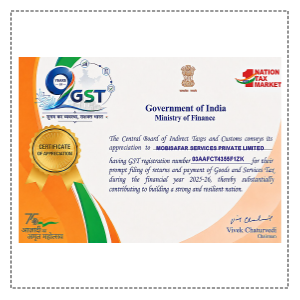
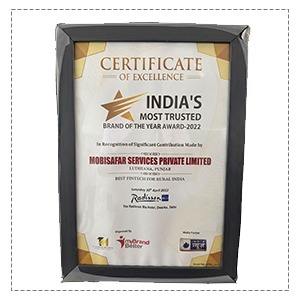
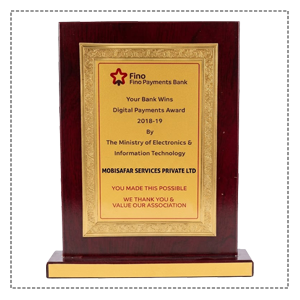
Honored to be recognized for excellence, innovation and impactful contributions.












"Setting up the Mobisafar UPI Cash Point was smooth and fast; my shop now acts as a mini ATM where customers scan QR codes to withdraw cash."
"We converted our register into a UPI Cash Point, which attracts regular walk-in customers and solves our daily cash change shortages effortlessly."
"The agent portal makes generating dynamic QR codes super simple—it takes just seconds to process withdrawals and earn a steady commission."
"I love using the UPI Cash Point service at my local market because it lets me withdraw emergency cash straight from my phone without any physical card."
"Adding the UPI Cashout service brought a noticeable jump in daily shop footfall, making my store a go-to neighborhood hub for financial services."
Our Common Queries (FAQs) section is designed for provide quick
answers to
the most frequently asked questions.
The Mobisafar UPI cash point setup provides retailers with a structured way to offer UPI-based cash withdrawals. The process uses the Mobisafar App, QR ATM or UPI Cashout, a customer-specific dynamic QR and successful transaction confirmation before cash is handed over.
For retailers considering the Mobisafar UPI cash point setup app, Mobisafar Micro ATM price, Mobisafar wallet to bank settlement time, or a Mobisafar AEPS cash point, the important step is to verify the currently active service, commercial terms and applicable limits before starting.
Customers searching for a Mobisafar cash point near me or Mobisafar AEPS cash point near me should confirm that the nearby retailer has the required service activated.
For official support, Mobisafar currently lists 0161-5015050 and care@mobisafar.com, with support available from 9 AM to 6 PM, Monday through Saturday.
